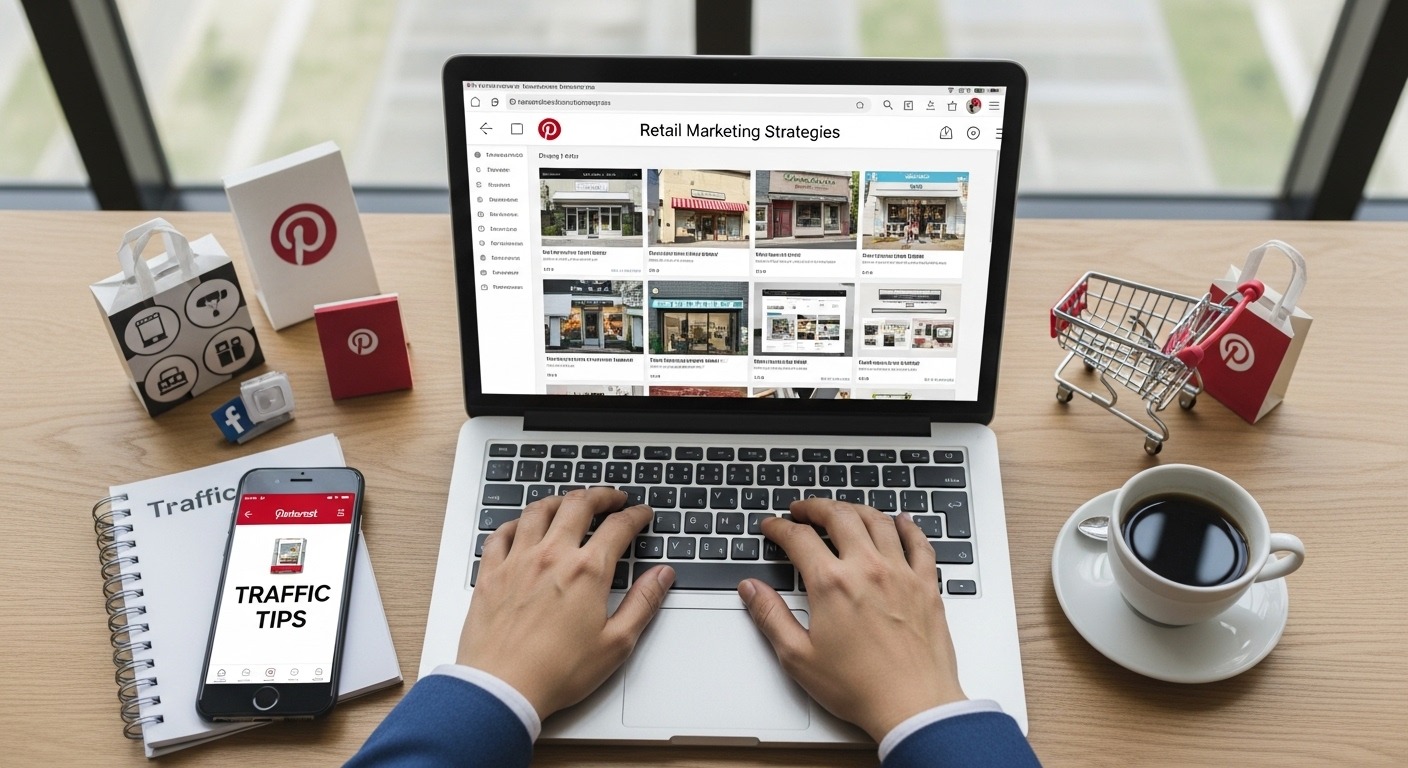
Ask most retail store owners which social platforms they use for marketing and you’ll hear Instagram, TikTok, maybe Facebook. Pinterest? Rarely. And that is exactly why it’s such a powerful opportunity right now.
While your competitors are battling for attention in crowded Instagram feeds, Pinterest pins can drive traffic to your store for months or even years after they’re posted. Unlike Instagram posts that die within 48 hours, the average pin has a half-life of 3.5 months — and high-quality pins can continue generating clicks for years.
Pinterest is not a social network — it’s a visual search engine and discovery platform. Its 500+ million monthly active users aren’t scrolling passively; they’re actively searching for inspiration, ideas, and products to buy. According to Pinterest Business research, 97% of top searches on Pinterest are unbranded — meaning people are searching for products, not specific brands. That’s a massive open door for your retail store to walk through.
This guide will walk you through everything: setting up a business account, mastering Pinterest SEO, creating pins that convert, and building a long-term traffic strategy for your retail store — whether you sell online, in-store, or both.
Contents of This Guide
- Why Pinterest Is a Goldmine for Retail Traffic
- Setting Up a Pinterest Business Account
- Pinterest SEO: How to Get Found in Search
- Building Boards That Attract Your Ideal Customer
- Designing Pins That Get Clicked and Shared
- Rich Pins, Product Pins & Shopping Features
- Your Pinterest Content Strategy for Retail
- Tracking Pinterest Traffic & Performance
- 5 Pinterest Mistakes That Kill Retail Traffic
- Ready to Go Further? Retail Marketing Course
📌 Why Pinterest Is a Goldmine for Retail Traffic
Before we dive into tactics, let’s establish the business case — because Pinterest’s traffic potential for retail stores is genuinely extraordinary compared to most platforms, and the numbers tell a compelling story:
Pinterest is one channel. Our retail marketing course for store owners covers connecting the store and online channels, customer retention and measuring what produces sales.
⚡ Pinterest vs. Other Platforms — Why Retail Brands Win Here
| Factor | 🎵 TikTok | |||
|---|---|---|---|---|
| Content lifespan | Months–Years | 24–48 hrs | 24–72 hrs | Hours |
| Outbound link traffic | Every pin links out | Bio link only | Bio link only | Posts suppressed |
| User purchase intent | Very High | Medium | Low–Medium | Low |
| Competition level | Low (underused) | Very High | High | Very High |
| SEO / search discovery | Strong (visual search) | Hashtags only | Limited | Minimal |
⚙️ Setting Up a Pinterest Business Account
A Pinterest Business account unlocks analytics, advertising, Rich Pins, shopping features, and the ability to claim your website — all essential for retail traffic. Here’s the exact setup sequence:
Go to business.pinterest.com → “Create a business account” or convert your personal account. Choose your business category carefully — this affects what content Pinterest recommends your pins alongside.
Profile photo (your logo, 165×165px minimum), display name (include your primary keyword), bio (160 characters, keyword-rich, ends with your location if local store). Example: “Handcrafted jewellery for everyday wear. Sustainable, ethically made. Shop our London boutique or online.”
Go to Settings → Claim → Claim a website. Add the Pinterest verification meta tag to your site’s <head>. Once claimed, all pins from your site display your profile photo — dramatically increasing click-through rates and brand recognition.
The Pinterest Tag is a code snippet that tracks conversions, page visits, and checkout events from Pinterest traffic. Essential for measuring ROI. Install via your website’s header or using the Pinterest Tag Helper Chrome extension.
In Pinterest Business Hub → Catalogs → Upload your product feed (CSV, XML, or connect Shopify/WooCommerce directly). This enables Product Pins with real-time pricing and availability — the highest-converting pin type for retail stores.
🔍 Pinterest SEO: How to Get Found in Search
Pinterest functions as a search engine — which means SEO is the single most important factor in whether your pins reach thousands or dozens of people. Unlike Instagram, where the algorithm decides who sees your content, Pinterest responds directly to what people search for. Optimise for those searches and your traffic compounds over time.
🗝 Where Pinterest SEO Keywords Go
📝 Pin Title
Lead with your primary keyword. Max 100 chars displayed, 500 chars stored. Example: “Minimalist Gold Hoop Earrings — Handmade Fine Jewellery”
📖 Pin Description
500 chars. Use 3–5 natural keyword variations. Describe the product, who it’s for, and why they’d want it. End with a CTA: “Shop now at [yoursite].com”
📋 Board Name & Description
Board names are indexed. “Gold Jewellery” outperforms “My Faves”. Write board descriptions with 2–3 related keywords for the category.
🖼 Alt Text
Pinterest reads image alt text. Set descriptive alt text on all product images at source — this passes through when pinned directly from your website.
👤 Profile Name & Bio
Your profile name is searchable. Include your main category keyword alongside your brand name: “Bloom Botanicals | Natural Skincare”
🔗 Destination URL
Clean, keyword-rich URLs from your website reinforce relevance. Pinterest uses your landing page content as an additional ranking signal.
Use Pinterest’s own search bar — type your product and watch the suggested autocomplete terms. These are real searches. Also check the “More like this” guided search bubbles that appear after a search. For deeper research, use Pinterest’s free Keyword Planner in Pinterest Ads Manager — even if you never run ads, the keyword data is invaluable for organic strategy.
🗂 Building Boards That Attract Your Ideal Customer
Your boards are the architecture of your Pinterest profile. They signal to Pinterest’s algorithm what your brand is about, and they tell potential customers whether they’ve found the right place. Strategic board structure is the foundation of sustainable Pinterest traffic.
| Board Type | Purpose | Example (Jewellery Store) | Priority |
|---|---|---|---|
| Core Product Board | Your main product category — keyword-rich name | “Gold Jewellery UK” | ESSENTIAL |
| Sub-Category Boards | Drilled-down product types with specific keywords | “Minimalist Earrings”, “Wedding Rings” | ESSENTIAL |
| Lifestyle / Inspiration | Aspirational content showing how products fit into real life | “Minimalist Style Outfits”, “Gift Ideas for Her” | HIGH |
| Educational / How-To | Captures searchers at the research/consideration stage | “How to Style Gold Jewellery”, “Jewellery Care Tips” | HIGH |
| Seasonal Boards | Capitalise on seasonal search spikes — create 4–6 weeks before | “Christmas Gift Ideas”, “Valentine’s Day Jewellery” | MEDIUM |
| Brand Story Board | Behind-the-scenes, your process, team, values — builds trust | “Behind the Bench — Our Jewellery Making Process” | MEDIUM |
Aim for 10–15 boards minimum. Each board should have at least 20 pins before you start actively promoting it. Create a board cover image that visually represents the board’s theme. Pin your own content AND relevant third-party content (curating 20–30% external content signals to Pinterest that you’re an active, generous contributor).
🎨 Designing Pins That Get Clicked and Shared
A pin is a micro-advertisement that must earn a click in under two seconds of a user scrolling past. Pin design is the difference between 2 clicks and 2,000 clicks on identical content. These are the proven design principles for retail pins:
📐 Pin Specifications
1000 × 1500 px
2:3 (portrait)
JPG or PNG
20 MB
Square (1:1) or 9:16
Top or bottom ¼
✅ Design Do’s
- Use bright, warm, or high-contrast colours — they outperform dark/cool tones by up to 28%
- Include a text overlay title — pins with text overlay have 6× higher save rates
- Show products in context (styled in a room, worn by a person)
- Add your website URL subtly at the bottom
- Use multiple images per pin (carousel format)
- Create seasonal colour variants of top-performing pins
❌ Design Don’ts
- Never use a 1:1 square for feed pins — portrait always wins
- Avoid busy, cluttered backgrounds that obscure the product
- Don’t use tiny text — pins are viewed on mobile first
- Never pin blurry or low-resolution images
- Avoid faces looking directly at the camera in product shots — faceless lifestyle images pin better
- Don’t use watermarks or competitor branding in your images
Canva offers 1000s of Pinterest templates with the correct 2:3 ratio pre-loaded.
Adobe Express also has free Pinterest pin templates.
For video pins, use CapCut to create short, eye-catching product videos.
🛒 Rich Pins, Product Pins & Pinterest Shopping Features
Regular pins link to your website. Rich Pins and Product Pins do far more — they pull live data from your website and display it directly in the pin, dramatically increasing both clicks and conversions. For retail stores, these are non-negotiable.
Product Pins
Most Important for Retail
Automatically display real-time price, availability, and product title from your website. Users see whether it’s in stock before clicking. Require Rich Pin validation + claimed website. Enable via Pinterest’s Rich Pin Validator.
Article Pins
For Blog & Content Traffic
Displays headline, author, and story description pulled from your blog post’s meta tags. Excellent for driving traffic to buying guides, gift guides, how-to posts, and seasonal content that feeds into your retail funnel.
Pinterest Shopping
Full Shop on Pinterest
Connect your full product catalogue to create a browsable Shop tab on your Pinterest profile. Products appear in shopping recommendations and search results, even when you don’t actively pin them. Requires catalogue upload in Pinterest Business Hub.
📅 Your Pinterest Content Strategy for Retail
Pinterest rewards consistent, high-volume pinning. Unlike Instagram where daily posting is the ceiling, Pinterest benefits from pinning 5–25 pins per day — spread throughout the day using a scheduling tool. Here’s how to build a sustainable content engine:
🗓 Pinterest Seasonal Content Calendar for Retail
| Month | Key Pinning Themes | Lead Time | Traffic Peak |
|---|---|---|---|
| January | New Year, Winter Sales, Valentine’s Day prep | Start December | Late Jan |
| February | Valentine’s, Self-care, Spring preview | Start January | Early Feb |
| March–April | Spring décor, Easter, Mothers Day prep, new season | Start February | March–April |
| May–June | Summer, Wedding Season, Father’s Day, Outdoor | Start April | May–June |
| July–August | Back to School, Summer Sale, Autumn preview | Start June | Late July |
| September | Autumn, Halloween prep, gift guide early starts | Start August | Sept–Oct |
| October | Halloween, Early Christmas, Black Friday prep | Start September | October |
| Nov–Dec | Christmas, Black Friday, Cyber Monday, Gift Guides | Start September! | Biggest of year |
⚠️ Pinterest SEO is slow — pins need 3–6 weeks to index and rank. Always pin seasonal content well in advance.
Tailwind is the gold standard for Pinterest scheduling — it analyses when your audience is most active and schedules pins at optimal times automatically. Buffer and Later also support Pinterest scheduling. Pinterest’s own native scheduler (free) allows up to 30 days of advance scheduling.
Retail Marketing Training
Pinterest Is Just One Piece.
Master the Full Retail Traffic System.
The Retail Marketing Course at Easy Marketing School teaches you Pinterest strategy alongside every other channel that drives retail traffic and sales — SEO, Instagram Shopping, email, paid ads, local marketing, and community building — all in one practical, retail-specific programme.
✅ Multi-channel traffic systems
✅ Product pin optimisation
✅ Seasonal campaign planning
✅ Built for retail store owners
👉 Enrol in the Retail Marketing Course →
Join retail owners turning Pinterest into a consistent traffic machine
📊 Tracking Pinterest Traffic & Performance
Pinterest Analytics and Google Analytics together give you a complete picture of your Pinterest performance — from initial impressions all the way through to sales. Here’s what to track and what the numbers mean:
| Metric | Where to Find | What It Tells You | Action Threshold |
|---|---|---|---|
| Impressions | Pinterest Analytics | How many times pins were shown in feeds/search | Low = improve SEO keywords and pin frequency |
| Saves (Repins) | Pinterest Analytics | How often your pins are saved to others’ boards — signals viral potential | High saves = create more of this content type |
| Outbound Clicks | Pinterest Analytics | Clicks from pins to your website — your most direct traffic metric | Low clicks = improve pin image, title, or CTA |
| Click-Through Rate | Pinterest Analytics | % of viewers who click through — pin quality indicator | Aim for 0.5–2%+ CTR on product pins |
| Sessions from Pinterest | Google Analytics → Acquisition | Total website sessions attributed to Pinterest traffic | Should grow 10–20% month-on-month with consistent pinning |
| Revenue / Conversions | Google Analytics → Conversions | Sales and revenue directly attributable to Pinterest clicks | Double down on pin types with highest conversion rate |
| Top Performing Pins | Pinterest Analytics → Top Pins | Which specific pins are driving the most traffic and saves | Create 5–10 variations of every top pin to multiply results |
🚫 5 Pinterest Mistakes That Kill Retail Traffic
These are the most common errors that prevent retail brands from seeing meaningful Pinterest traffic — even when they’re posting consistently:
Every pin should be saved to multiple relevant boards — your main product board, the sub-category board, a seasonal board, and a lifestyle board. This multiplies the contexts in which Pinterest can surface your content, dramatically increasing impressions without creating new pins.
Every pin should link to the most specific, relevant destination possible — a product page, a category page, or a blog post. Sending high-intent Pinterest traffic to your homepage adds unnecessary friction. Warm visitors who have to hunt for the product they just saw in your pin will leave immediately.
Pinterest’s algorithm penalises accounts that post 50 pins in one hour and then go silent for a week. It rewards consistent daily activity. Use a scheduler like Tailwind to distribute your pins evenly across the day and week — even if you batch-create them monthly.
Pinning Christmas content in December is too late. Pinterest users plan purchases 60–90 days in advance — Pinterest itself recommends beginning seasonal content 45 days before the event. Miss this window and you miss the peak traffic entirely. Your Christmas campaign should start in early October.
Pinterest SEO operates on a 3–6 month timeline. New accounts and new pins take time to be indexed and ranked. Most retail brands who “tried Pinterest and it didn’t work” gave up at month two — just before results would have started appearing. Commit to a 6-month runway before evaluating performance, and track month-on-month growth, not week-on-week.
✅ Your Pinterest Retail Traffic Launch Checklist
⚙️ ACCOUNT SETUP
🗂 BOARDS
📌 PINS
📅 CONSISTENCY SYSTEM
The Bottom Line
Pinterest is one of the most overlooked traffic sources in retail marketing — and that oversight is your opportunity. While your competitors fight for attention on oversaturated platforms with shrinking organic reach, Pinterest offers a wide-open search engine where high-quality, well-optimised content can drive consistent, compounding traffic to your store for months and years after you create it.
The investment is front-loaded: set up your account properly, build your boards with intention, and commit to consistent pinning for six months. After that, Pinterest becomes one of the most passive traffic sources in your marketing mix — pins you created a year ago will still be sending shoppers to your store today.
The 500 million users searching Pinterest right now for products like yours aren’t finding your store — yet. Use this guide to change that, one pin at a time.
Pinterest Marketing
Retail SEO
Traffic Generation
Updated March 2026 | 11 min read